
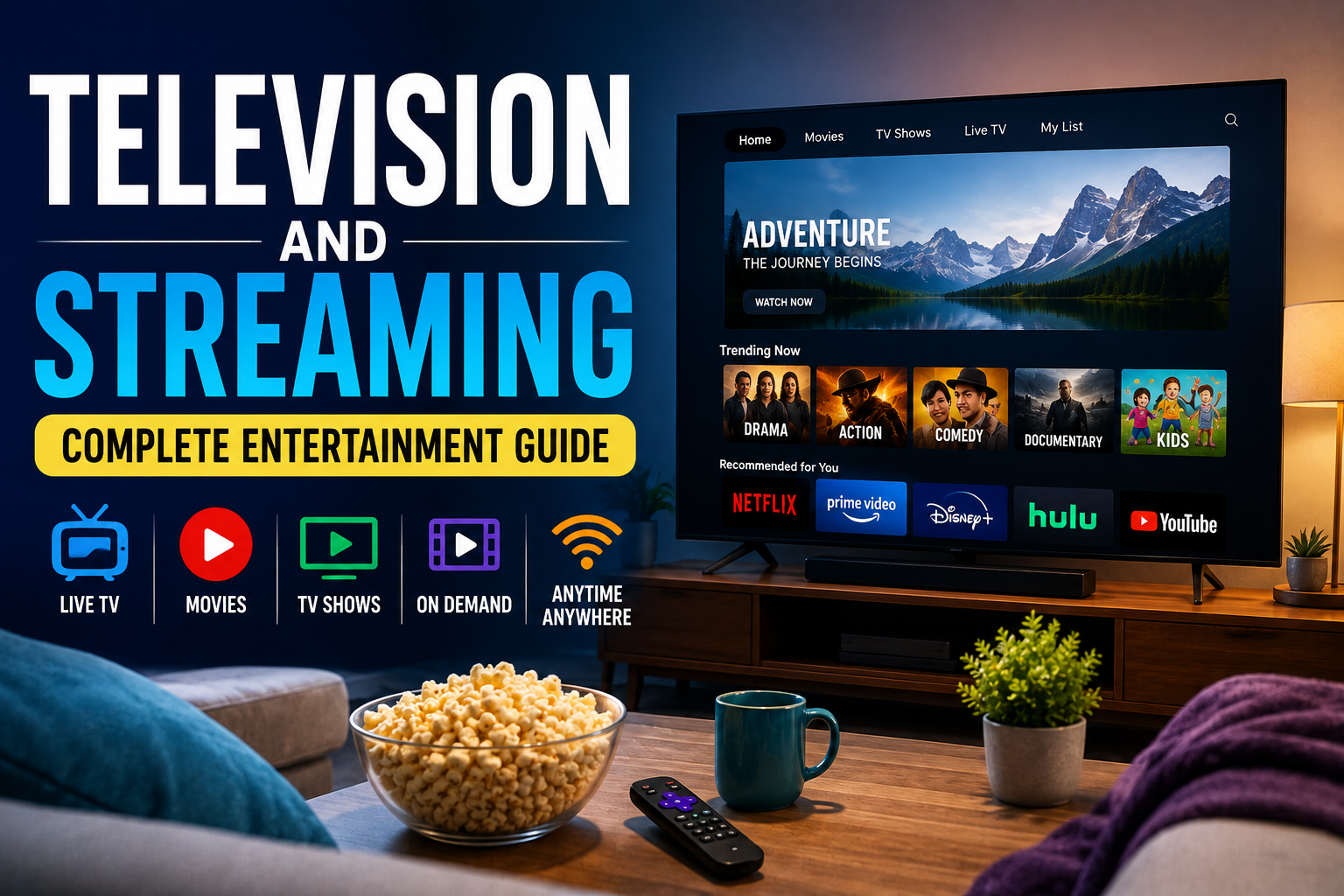
Television and Streaming: Complete Entertainment Guide
Television has changed dramatically over the past few decades. What was once centered around a handful of broadcast channels and fixed programming schedules has evolved into a massive entertainment ecosystem that includes traditional television, cable networks, streaming platforms, smart TVs, on-demand libraries, live digital services, and free ad-supported programming.
For viewers, this transformation has created more choice than ever. Instead of waiting for a favorite show to air at a specific time, people can often watch movies, series, documentaries, sports, news, and other programming whenever and wherever they want.
But having more options can also make entertainment harder to navigate. This complete guide explains how television and streaming work, the major differences between them, how to choose the right viewing options, and what to consider when building an enjoyable and affordable entertainment setup.
What Is Television?
Television is a system for delivering audiovisual programming to viewers. Traditional television programming is typically distributed through broadcast signals, cable networks, satellite services, or other television distribution systems.
Television can include many types of programming, including:
- News
- Drama series
- Comedy shows
- Reality television
- Documentaries
- Movies
- Sports
- Children’s programming
- Educational programs
- Talk shows
- Game shows
- Lifestyle programs
Traditional television generally operates around scheduled programming. A network determines when a program is broadcast, and viewers tune in at the designated time.
However, modern television increasingly combines scheduled programming with on-demand viewing.
What Is Streaming?
Streaming is a method of delivering digital audio and video over the internet without requiring the viewer to download an entire file before watching it.
Instead, the content is delivered in small portions while it plays.
Streaming services can provide:
- Movies
- Television series
- Original programs
- Documentaries
- Live television
- Sports
- Music
- Children’s content
- Educational programming
The biggest difference between streaming and traditional television is how content is delivered and accessed.
Traditional television commonly relies on broadcast, cable, or satellite distribution, while streaming relies primarily on an internet connection.
How Does Streaming Work?
When you select a movie or television show on a streaming service, the platform’s servers deliver the video to your device through the internet.
The basic process looks like this:
Content provider → Internet → Streaming service → Your device → Screen and speakers
The service typically adjusts the quality of the video based on factors such as:
- Internet speed
- Network congestion
- Device capabilities
- Screen resolution
- Available bandwidth
- Service settings
This allows streaming platforms to deliver video at different quality levels.
For example, someone with a fast internet connection and a compatible television may be able to watch high-resolution video, while someone with a slower connection may receive a lower-resolution stream to prevent constant buffering.
Television vs. Streaming
Television and streaming are not necessarily competing technologies. Modern households often use both.
| Feature | Traditional Television | Streaming |
|---|---|---|
| Delivery | Broadcast, cable, satellite | Internet |
| Scheduling | Often scheduled | Mostly on demand |
| Internet required | Usually no | Yes |
| Content library | Depends on provider | Often extensive |
| Live programming | Common | Increasingly common |
| Device flexibility | More limited | Usually broad |
| Viewing control | Moderate | High |
| Subscription model | Often bundled | Usually individual services |
The best option depends on how you watch entertainment.
Someone who enjoys live television, news, and sports may prefer a traditional or live-TV service. Someone who primarily watches movies and series on demand may prefer streaming.
The Different Types of Streaming Services
The streaming market is no longer limited to one type of service. Several models have emerged.
Subscription Video on Demand
Subscription video on demand, commonly abbreviated as SVOD, allows users to pay a recurring fee to access a library of content.
Subscribers typically receive access to movies, series, documentaries, and original programming.
The major advantage is convenience: users can browse a catalog and watch content whenever they choose.
Ad-Supported Streaming
Some streaming services offer free or lower-cost access in exchange for advertisements.
This model can make entertainment more affordable while allowing providers to generate revenue from advertisers.
Viewers should expect commercial breaks or advertising placements depending on the service.
Transactional Video on Demand
Transactional video on demand, or TVOD, allows users to rent or purchase individual movies or programs.
This can be useful when a particular title isn’t included in an existing subscription.
Instead of paying for another monthly service, a viewer can pay only for the content they want to watch.
Free Ad-Supported Television
Free ad-supported television, often called FAST, provides channels or programming without requiring a traditional subscription.
The service is generally supported by advertising.
FAST services can resemble traditional television because they often feature channels with scheduled programming, while also being delivered through internet-connected devices.
Live Streaming
Live streaming allows viewers to watch events as they happen over the internet.
Examples include:
- Sports
- Concerts
- News
- Awards shows
- Conferences
- Special events
Live streaming has helped blur the distinction between traditional television and internet entertainment.
What Is a Smart TV?
A smart TV is a television with built-in internet connectivity and software that allows users to access digital services directly from the television.
Instead of requiring a separate streaming device, many smart TVs can run streaming applications themselves.
Common smart TV features include:
- Streaming applications
- Internet connectivity
- App stores
- Voice controls
- Screen mirroring
- Bluetooth connectivity
- Casting
- Personalized recommendations
A smart TV can effectively function as both a conventional television and an internet-connected entertainment device.
What Devices Can You Use for Streaming?
Streaming isn’t limited to televisions.
Depending on the service, viewers can use:
- Smart TVs
- Smartphones
- Tablets
- Laptops
- Desktop computers
- Streaming media players
- Game consoles
- Some Blu-ray players
- Compatible projectors
This flexibility is one of streaming’s biggest advantages.
A viewer can begin watching something on a television and potentially continue on another compatible device.
Choosing the Right Streaming Service
The largest streaming catalog isn’t automatically the best choice.
Instead, consider what you actually watch.
1. Evaluate the Content Library
Look at the types of programs available.
Ask yourself:
- Does the service have movies I enjoy?
- Are there enough television series?
- Does it offer documentaries?
- Does it have children’s programming?
- Are there live channels?
- Does it provide the genres I watch regularly?
2. Check the Subscription Cost
Compare the monthly and annual cost rather than judging services individually.
Having several subscriptions can become expensive when combined.
3. Consider Advertising
Some lower-priced plans include advertising.
For some viewers, this is an acceptable trade-off. Others prefer paying more for an experience with fewer or no advertisements.
4. Check Device Compatibility
Before subscribing, make sure the service works with your preferred devices.
Compatibility is particularly important if you intend to watch through an older smart TV or streaming device.
5. Consider Simultaneous Viewing
Households with several viewers should check how many devices can stream at the same time.
This can make a significant difference for families.
How Much Internet Speed Does Streaming Need?
Streaming quality depends partly on internet performance.
The exact requirements vary by service and video quality, but higher-resolution video generally requires more bandwidth than standard-definition video.
Factors that influence streaming performance include:
- Internet speed
- Wi-Fi quality
- Router location
- Number of connected devices
- Network congestion
- Streaming resolution
- Service infrastructure
A fast internet plan won’t necessarily solve every streaming problem. Poor Wi-Fi coverage or network congestion can still cause buffering.
Understanding Video Resolution
Video resolution refers to the number of pixels used to display an image.
Common formats include:
Standard Definition
Standard-definition video uses relatively low resolution and generally requires less bandwidth.
High Definition
HD provides noticeably greater image detail than standard definition.
Full HD
Full HD commonly refers to 1920 × 1080 resolution.
4K Ultra HD
4K provides substantially more pixels than Full HD and can produce sharper images on compatible screens.
8K
8K offers an even higher resolution, although its practical value depends on screen size, viewing distance, available content, and other factors.
Higher resolution isn’t automatically better for every viewer. Screen size, viewing distance, content quality, and internet performance all matter.
What Is HDR?
HDR, or High Dynamic Range, is a technology designed to improve the range of brightness and color displayed by compatible screens and content.
HDR can make bright areas appear more intense while preserving detail in darker areas.
When combined with a capable television and compatible content, HDR can significantly improve picture quality.
However, viewers need compatible hardware and content to benefit from it.
Why Streaming Recommendations Matter
Streaming services increasingly use algorithms to recommend content.
These systems may consider:
- What you have watched
- What you stopped watching
- Genres you frequently select
- Programs you rate
- Viewing history
- Similar users’ preferences
Recommendations can make large content libraries easier to navigate.
However, algorithms can also create a narrow viewing experience where users repeatedly see similar types of content.
Occasionally exploring different genres can help viewers discover something outside their usual recommendations.
Television Genres Worth Exploring
A strong entertainment library doesn’t have to revolve around one genre.
Drama
Drama focuses on characters, relationships, conflict, and emotional storytelling.
Comedy
Comedy is designed primarily to entertain through humor and can include sitcoms, sketches, stand-up performances, and comedic films.
Documentary
Documentaries explore real people, events, cultures, science, history, nature, and other subjects.
Science Fiction
Science fiction explores concepts involving technology, space, artificial intelligence, alternate realities, and possible futures.
Fantasy
Fantasy commonly incorporates magical worlds, mythical creatures, supernatural elements, and imaginative settings.
Crime and Mystery
These genres often center around investigations, unanswered questions, criminal cases, and attempts to uncover the truth.
Animation
Animation encompasses everything from children’s entertainment to sophisticated storytelling aimed at adults.
Reality Television
Reality programming presents unscripted or semi-scripted situations involving individuals, competitions, relationships, lifestyles, or real-world activities.
Building a Better Home Entertainment Setup
A good entertainment system doesn’t have to be complicated.
Start with the basics:
Display: Choose a television or projector appropriate for the size of your room.
Audio: Built-in speakers may be sufficient, but a soundbar or dedicated speaker system can improve the experience.
Internet: A stable connection is essential for reliable streaming.
Streaming device: If your television doesn’t have the applications you need, an external streaming device can provide additional functionality.
Lighting: Controlling room lighting can improve picture quality and reduce reflections.
Seating: Comfortable seating matters more than many technology upgrades.
A balanced setup usually produces a better experience than spending heavily on one component while neglecting everything else.
How to Reduce Entertainment Costs
Streaming was initially marketed as an alternative to expensive television packages, but subscribing to multiple services can eventually produce the same problem.
A practical approach is to review your subscriptions regularly.
Consider:
- Which services do you use every week?
- Which ones haven’t been used recently?
- Are you paying for duplicate content libraries?
- Can free ad-supported services meet some of your needs?
- Would renting occasional movies be cheaper than maintaining another subscription?
- Are annual plans actually cheaper for your viewing habits?
The goal isn’t necessarily to subscribe to fewer services. It’s to make sure you’re paying for entertainment you genuinely use.
Streaming and Data Usage
Streaming video can consume significant amounts of data.
Higher-resolution video generally requires more data than lower-resolution video.
This matters particularly for users with:
- Mobile data limits
- Metered internet connections
- Expensive broadband plans
- Shared household connections
If data consumption is a concern, lowering video quality or downloading supported content over Wi-Fi for offline viewing can help.
How to Improve Streaming Quality
If a video keeps buffering, don’t immediately assume the streaming service is the problem.
Try these steps:
- Restart your router.
- Move your device closer to the Wi-Fi router.
- Disconnect unnecessary devices.
- Check whether other users are consuming significant bandwidth.
- Restart the streaming application.
- Update your television or streaming device.
- Check for software updates.
- Test another streaming service.
- Use an Ethernet connection if practical.
- Contact your internet provider if problems persist.
These steps can help identify whether the issue originates with your home network, device, application, or internet provider.
Television Accessibility Features
Modern televisions and streaming platforms increasingly provide accessibility tools designed to make entertainment easier to use.
Important features can include:
- Closed captions
- Subtitles
- Audio descriptions
- Screen readers
- Adjustable text size
- High-contrast interfaces
- Voice controls
- Alternative audio tracks
Accessibility features benefit not only people with disabilities but also viewers watching in noisy environments, learning a language, or watching content in another language.
Parental Controls and Family Viewing
Families should consider parental controls when children have access to streaming services.
Depending on the platform, controls may allow parents or guardians to:
- Create children’s profiles
- Restrict certain content ratings
- Require PINs
- Limit access to mature programming
- Control purchases
- Review viewing activity
Parents should also remember that content ratings are guides rather than substitutes for understanding what a child is actually watching.
Protecting Your Streaming Accounts
Entertainment accounts can contain payment information and personal data, making account security important.
Good practices include:
- Use unique passwords.
- Avoid sharing passwords unnecessarily.
- Enable multi-factor authentication when available.
- Review logged-in devices.
- Sign out of unfamiliar devices.
- Avoid entering account credentials on suspicious websites.
- Keep television and streaming-device software updated.
Be particularly cautious of fake subscription-renewal emails and messages requesting payment information.
The Evolution of Television Entertainment
The history of television can be viewed as a progression from scarcity to abundance.
Early television offered relatively few channels. Cable expanded the number of available networks. Satellite television further expanded access, while digital technology introduced increasingly personalized programming.
Streaming changed the relationship between viewers and schedules.
Instead of asking “What’s on tonight?”, viewers increasingly ask “What do I want to watch?”
That shift has influenced everything from content production to advertising and television design.
What Does the Future of Television Look Like?
The distinction between television and streaming will likely continue to become less important.
Future entertainment systems are likely to combine:
- Live programming
- On-demand video
- Personalized recommendations
- Interactive content
- Advertising-supported services
- High-resolution displays
- Advanced audio
- Voice interfaces
- Connected-home technologies
Rather than replacing television entirely, streaming has become another major layer of the television ecosystem.
The screen in the living room is increasingly becoming a gateway to a broad digital entertainment environment.
How to Choose Your Ideal Entertainment Setup
There is no universal best television or streaming arrangement.
A person who watches primarily movies may prioritize picture quality and an extensive on-demand library. A sports fan may care more about live programming and reliable streaming. A family may prioritize simultaneous viewing and parental controls, while a casual viewer may want inexpensive or free entertainment.
The most effective approach is to start with your viewing habits rather than the technology.
Ask three simple questions:
- What do I watch most often?
- Where do I prefer to watch it?
- How much am I willing to spend?
Once those questions are answered, choosing the right combination of television technology, streaming services, internet connectivity, and audio equipment becomes much easier.
Television and Streaming in Everyday Entertainment
Television hasn’t disappeared because of streaming. Instead, the definition of television has expanded.
Today’s viewers can combine traditional broadcasts, live internet programming, on-demand streaming, free services, rental platforms, smart TVs, mobile devices, and other technologies into one entertainment experience.
The challenge is no longer finding something to watch. There is more content available than most people could ever consume.
The real skill is building an entertainment system that gives you the content you want, on the devices you enjoy, at a price that makes sense.



2 Comments
Micle harison
June 7, 2019Lorem ipsum dolor sit amet, usu ut perfecto postulant deterruisset, libris causae volutpat at est, ius id modus laoreet urbanitas. Mel ei delenit dolores.
John Doe
June 7, 2019Some consultants are employed indirectly by the client via a consultancy staffing company.